Last updated: 27 July 2026
Go to DomainKeys Identified Mail (DKIM) - Microsoft Defender
Ensure it is enabled for your domain
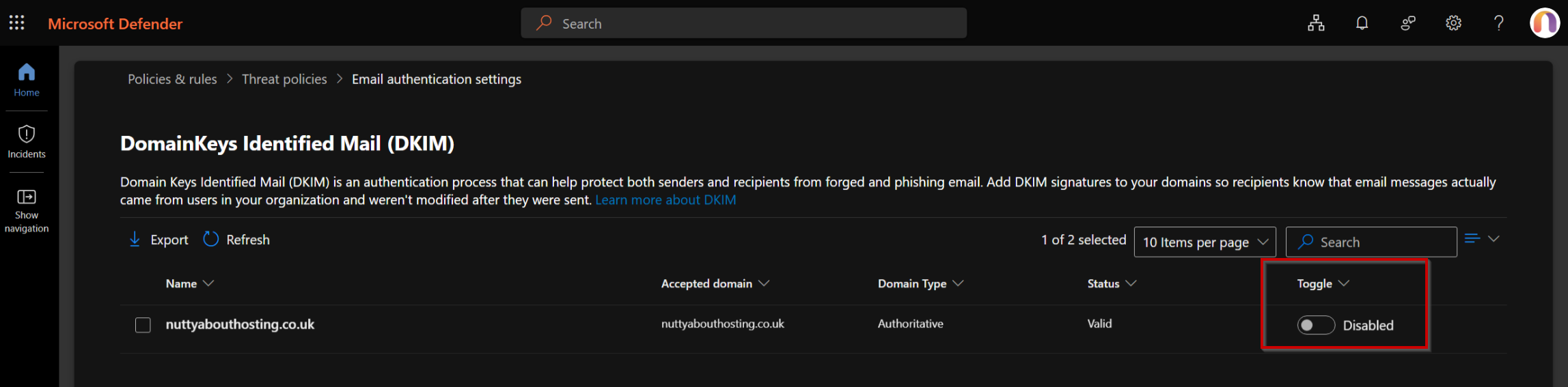
Shen you enable it, is will take a moment to save - when it's enabled click the row and a slide-out will appear with the details you need. On the slide out click the Copy button - the will copy values like this:
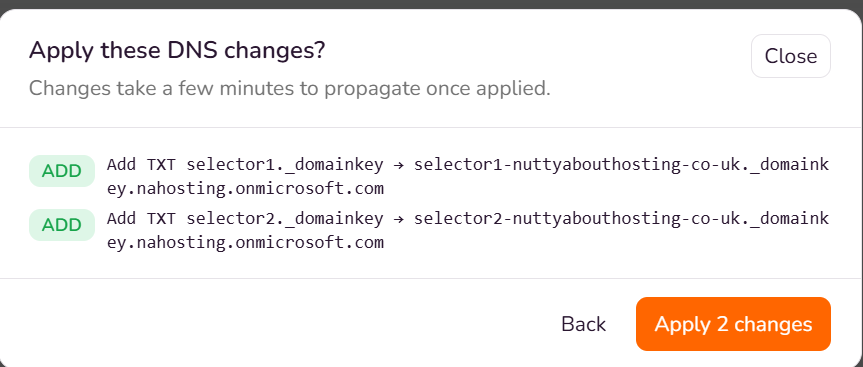
Host Name : selector1._domainkey
Points to address or value: selector1-nuttyabouthosting-co-uk._domainkey.nahosting.onmicrosoft.com
Host Name : selector2._domainkey
Points to address or value: selector2-nuttyabouthosting-co-uk._domainkey.nahosting.onmicrosoft.com
Keep them handy - you will need to copy these in to the DNS entries:
Go to your domain area in your portal and click the "Manage" button to edit the DNS entries
- Click "Add record"
- Select "TXT
- From the MS copied text - Paste the "Host Name" part in to the Name box
- From the MS copied text - Paste the "Points to address or value"
- Click "Add to changes"
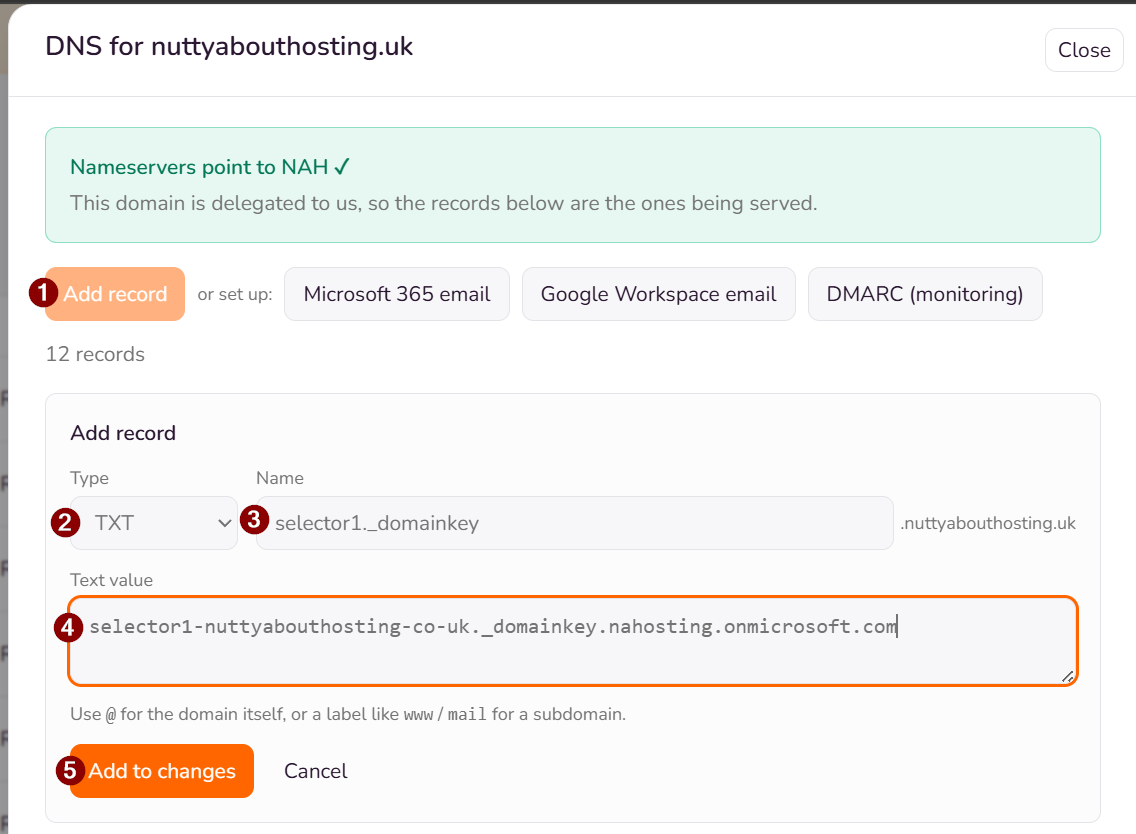
Repeat for the second set of details from Microsoft.
Then save the changes to your DNS (this is two steps)
First click the "Review & save" button
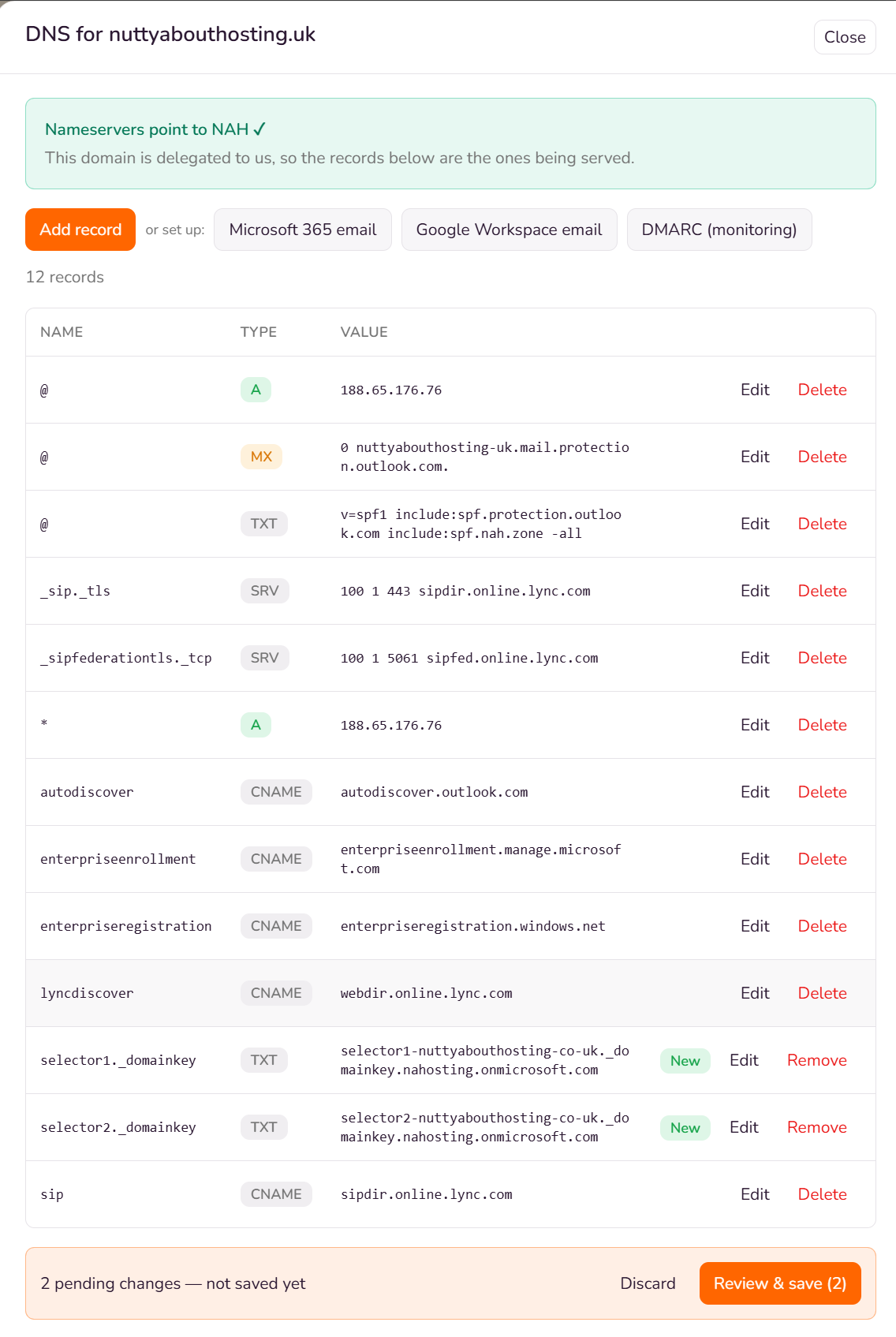
Then apply the changes in the confirmation pop-up